
Why Layered PSD Game Assets Save Development Time
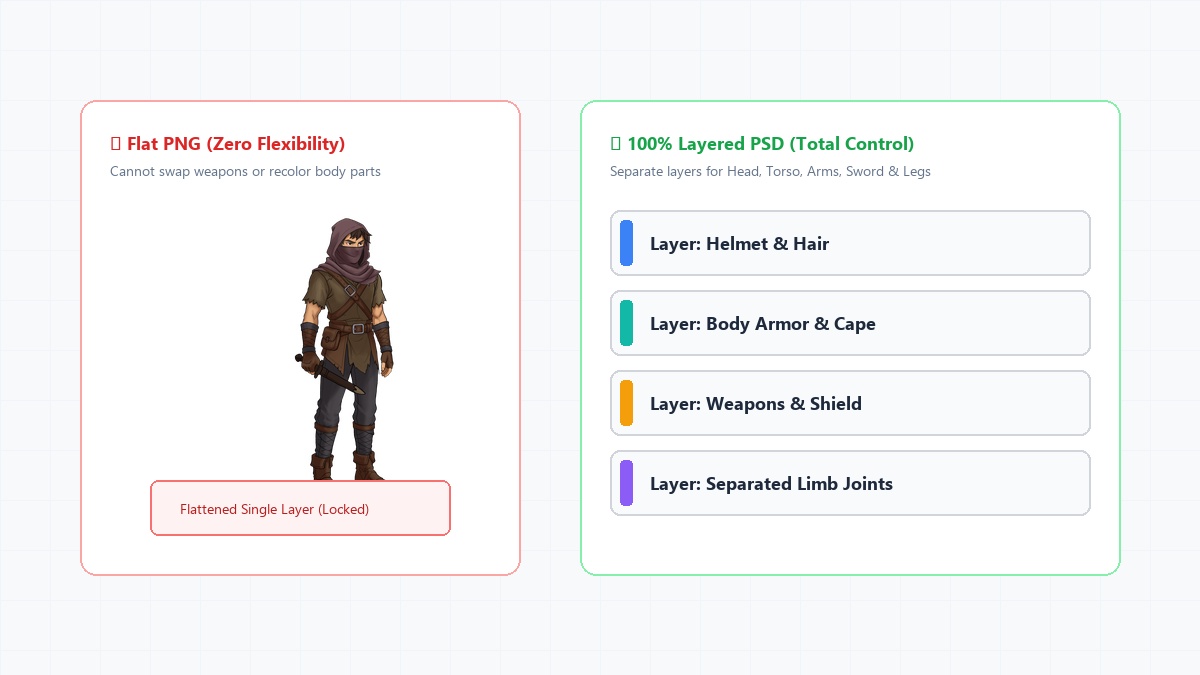
The Trap of Flattened Art
When browsing asset stores for your next game, it's tempting to buy cheap packs of flattened PNG characters. They look great in the screenshots, and they come with a sprite sheet. But what happens when you need the character to hold a different sword? Or what if you want to change the color of their cape to denote an elite enemy? With a flattened PNG, you are out of luck.
Total Control and Modularity
Purchasing Layered PSD assets fundamentally changes how you develop your game. Because every single element—the eyes, the mouth, the hair, the torso, the armor—is on a separate layer, you have absolute control over the asset. You can open the file in Photoshop, hide the helmet layer, and suddenly you have a completely new character variant. This modularity allows you to squeeze ten times the value out of a single asset purchase.
Future-Proofing Your Animations
If you buy a sprite sheet, you are locked into the animations the artist decided to include. If your game design suddenly requires a "climbing a ladder" animation, you cannot create it.
With a layered PSD, you can import those separated body parts into Unity, Godot, or Spine, rig a skeleton to them, and animate the character yourself! You are never restricted by the original artist's animation list.
Easy Reskinning
Want to turn a Green Goblin into a Fire Goblin? Open the PSD, select the skin layers, adjust the Hue/Saturation slider to red, and hit save. Your game engine will automatically update the character. It takes less than 30 seconds. Layered source files are the ultimate cheat code for solo developers trying to populate a massive game world on a tight schedule.
Ready to level up your game?
Skip the drawing and rigging phases. Browse our library of production-ready 2D game characters today.
Browse Our Store