
How to Use Layered PSD Characters in Unity
Why Layered PSDs?
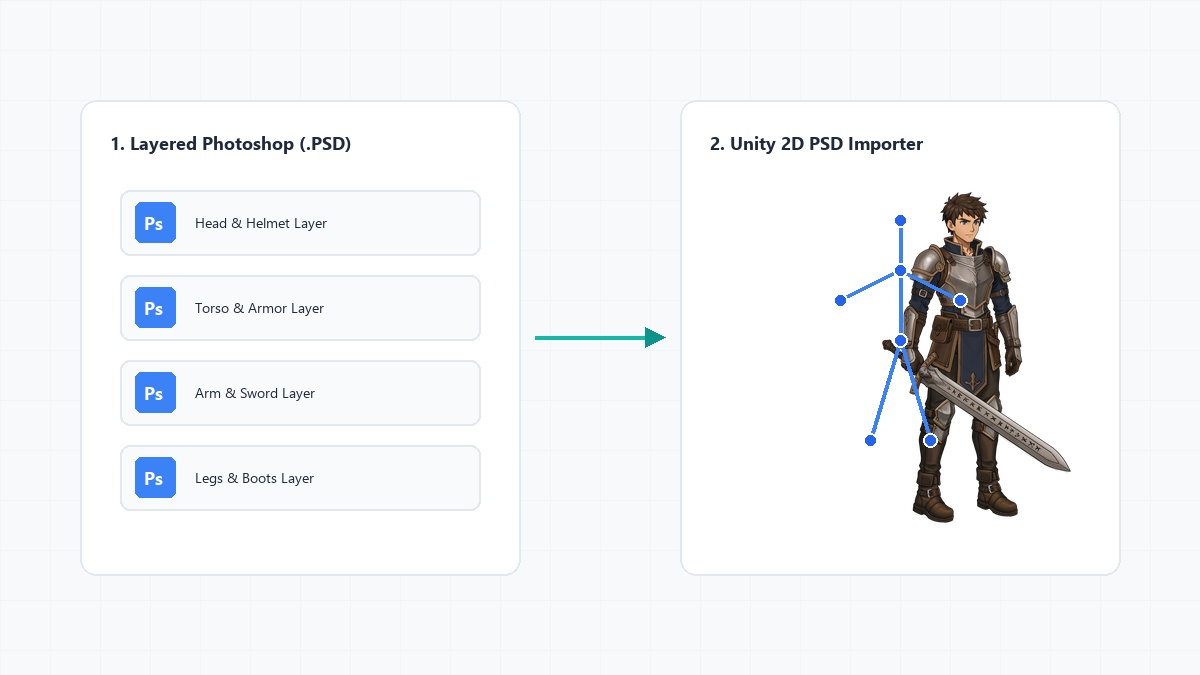
For years, 2D game developers relied on massive sprite sheets to animate their characters. While sprite sheets still have their place in pixel art, modern 2D games often use skeletal animation. Skeletal animation requires a character to be chopped up into individual pieces—head, torso, upper arm, lower arm, hands, etc. Importing these pieces individually is a nightmare. Fortunately, Unity has a built-in solution for importing layered Photoshop (PSD) files directly.
Step 1: Install the 2D PSD Importer
Before you can drag and drop your newly purchased PSD character into Unity, you need to ensure the correct packages are installed. Open the Package Manager (Window > Package Manager). Search for the 2D PSD Importer package and click install. You should also ensure the 2D Animation package is installed, as they work hand-in-hand.
Step 2: Preparing the PSD File
If you purchase a character from Grab It Ready, our PSDs are already perfectly optimized for Unity. However, if you are making your own, ensure that every single movable body part is on its own separate layer. Do not put the eyes and the head on the same layer if you want the character to blink! Group them logically, but keep the layers distinct.
Step 3: Import and Configure
Drag your .psd or .psb file into your Unity Project window. Click on the file, and look at the Inspector. You will see a setting called Texture Type. Ensure it is set to Sprite (2D and UI). Next, change the Sprite Mode to Multiple.
Click the Sprite Editor button. In the top-left dropdown of the Sprite Editor window, select Skinning Editor. This is where the magic happens. Unity will read the layers of your PSD and automatically spread them out. You can now use the Create Bone tool to build a skeleton and attach it to your layered artwork!
Conclusion
Using the PSD Importer completely removes the need to manually export and position dozens of PNG files. It keeps your project clean and allows you to update the PSD later, with Unity automatically absorbing the art changes without breaking your rig!
Ready to level up your game?
Skip the drawing and rigging phases. Browse our library of production-ready 2D game characters today.
Browse Our Store